Installation Guide
Step by step instructions on how to download, install and use WinDecluttered.
Released: 14 Mar 2026

caption text
Usage
How to declutter Windows? Simply opening the WinDecluttered window by executing WinDecluttered.exe from the portable folder doesn't make any changes to the system. To apply many tweaks it is necessary to have administrative permission.
A portable copy of the application can be downloaded from WinDecluttered latest. To use all the features run WinDecluttered.exe as administrator from right click menu.
It is also possible to download the app as a single file executable. Simply download WinDecluttered 3.1-singleFile.exe and execute it from a writable directory to open the application, and as before run as administrator from right click menu to use all the features.

Running the application
For Portable copy of the application, you can keep the folder anywhere on your file system. Right-Click the WinDecluttered.exe file from the portable folder and select "Run as Administrator".
For Single Executable File of the application, you may simply right-click the WinDecluttered.exe file and select "Run as Administrator".
This will run the application with administrative permission.
Related
-
 Windows Settings v3.1 Features
 -
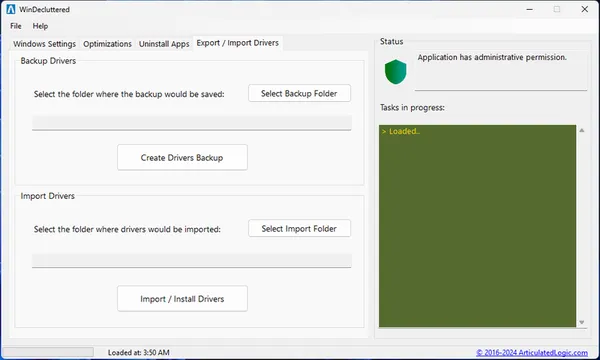 Export or Import Drivers v3.1 Features

